Anonymous Forms
Anonymous forms are excellent for surveys, polls, or feedback requests.
Anonymous Forms
- Do not have a sign in page. Their URL will lead straight to the form page.
- Are not saved before they are submitted, so there is no way to resume an existing form.
- Are not associated with a patient record.
- Do not support the following question types: Attachment, Signature and Drawing Question.
- Do not support consent forms.
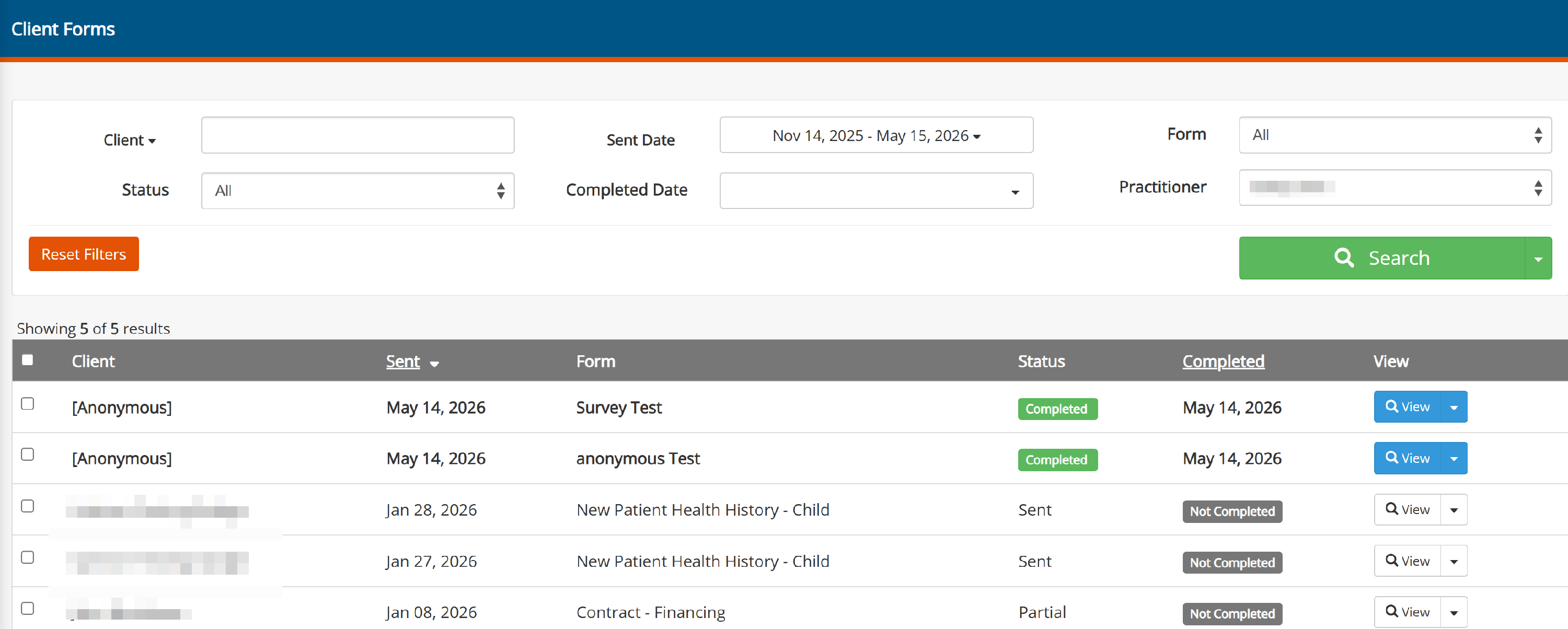
- Will not show up in the Forms Manager. To view them, go to Client Forms
Make a Form Anonymous
Follow these steps:
- Go to My Form Templates on the Forms menu.
- Click on the name of the form you want to add to your website, which opens the form template editor.
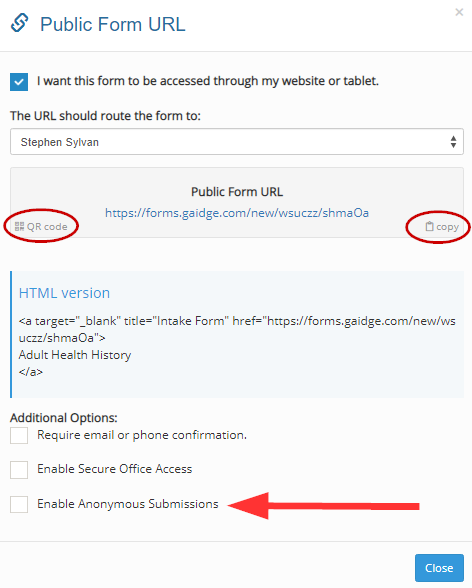
- Click on ○○○ > Get URL

- Check the checkbox that says I want this form to be accessed through my website or table
- Check the boxed labeled Enable Anonymous Submissions.
- Copy the URL and/or QR code and share it with whoever you want to fill out the form.